Back to deals
Video & AudioLifetime Deal

Aon Pro Studio Lifetime Deal: buy or skip?

Potentially useful for creators who want a more connected production process. Start with a short complete project and confirm the exact purchase conditions: owning the editor does not include unlimited AI generation or remove final human review.

Product overview

What Aon Pro Studio does

AON Pro Studio brings several video workflows into one desktop application, from transcript editing and typography to reference-led narrative and advertising production. The practical question is how much reliable finished work it saves, not how quickly it produces a first draft.

This source-researched review was checked October 24, 2026. No application installation, paid generation or channel publishing was performed. Current discounted and direct-purchase terms differ, and the vendor's refund pages contain a conflict that buyers should resolve in writing.

Read the full Aon Pro Studio review

Best for

  • Solo creators comfortable managing AI provider accounts and production budgets
  • Small video teams with repeatable briefs and a human approval stage
  • Editors who want to evaluate transcript-based editing alongside generated content

Why we picked it

  • Connects several stages of desktop video production
  • Separates software licensing from AI provider usage
  • Documents reference-led scenes and practical editing options

Check before buying

  • Complete a short representative project, record every regeneration and inspect the actual exported file on a phone with headphones.
  • Confirm the purchased license's update, support, refund and transfer conditions without combining terms from different sales channels.
  • Review provider billing, permissions and data handling before processing confidential scripts, customer footage or identifiable people.

Buy if

A complete pilot produces usable finished video with fewer corrections and less total effort than your existing process.

Verify first

Complete a short representative project, record every regeneration and inspect the actual exported file on a phone with headphones.

Skip if

You expect a one-time license to include unlimited external image, voice and video generation.

SoftScout sends you to the source after the risk checks, so you can verify live terms before buying instead of trusting stale coupon text.

Check Source Offer

Source transparency

Source
Source marketplace
Link type
Source page
Last checked
Oct 24, 2026

Buyer checklist

  • Complete a short representative project, record every regeneration and inspect the actual exported file on a phone with headphones.
  • Confirm the purchased license's update, support, refund and transfer conditions without combining terms from different sales channels.
  • Review provider billing, permissions and data handling before processing confidential scripts, customer footage or identifiable people.

Aon Pro Studio: the buying decision

AON Pro Studio aims to keep script preparation, reference-led visuals, narration, assembly and final editing in a desktop production workflow while letting creators bring their own AI provider accounts. Its value depends on reducing complete production effort without disguising ongoing generation costs or human review.

Research-based review, not a hands-on test. Sources checked on 2026-10-24. The assessment below is our editorial judgment, not a customer rating. Editorial assessment: 75/100.

Consider it if

  • A complete pilot produces usable finished video with fewer corrections and less total effort than your existing process.
  • Your exact purchase channel confirms update rights, refund protection and computer-transfer terms in writing.
  • You can budget external AI usage and retain a responsible human review before anything reaches an audience.

Skip it if

  • You expect a one-time license to include unlimited external image, voice and video generation.
  • Your work requires demonstrated character or product fidelity that you cannot verify with a representative example.
  • You need completely offline AI production or depend on unresolved licensing and refund assumptions.
Problem fit: 18/20
Moving scripts, assets, narration and edits between tools is a real creator problem that an integrated desktop workflow can meaningfully reduce.
Capabilities: 17/20
The current documentation describes several useful production and editing paths, although output quality and complete interoperability remain unverified in this assessment.
Workflow fit: 16/20
Reference materials and staged production offer practical control, but external accounts, local hardware and final quality checks still demand an organized operator.
Evidence confidence: 12/20
Detailed product guides provide useful specificity, while conflicting refund and entitlement descriptions and the absence of hands-on results reduce confidence.
Value: 12/20
A free starting point and discounted license can support evaluation, but recurring generation expenses and unresolved purchase conditions must be included in the decision.

A production desk, not a promise that every idea becomes a good video

Video production rarely fails because nobody can open an editor. It fails in the handoffs: the script changes after the voice track, the chosen image no longer matches the scene, and the final caption confidently misspells the one name everyone will notice. AON Pro Studio tries to bring those stages closer together. Its most plausible value is less coordination work between production steps, rather than a magical improvement in the quality of every idea.

The current product presentation combines desktop editing with AI-assisted creation and several specialized video modes. This gives a small creator a potentially useful place to organize work that might otherwise travel through multiple services. It also means that the buying decision should start with a particular production job. A narrated explainer, a product advertisement and a transcript-driven interview edit are not interchangeable tests merely because all three eventually become video files.

We would choose one recurring format and judge the software against a familiar baseline. Can you turn an approved brief into a coherent export with fewer handoffs, fewer corrections or better control? Does the process remain understandable when a scene needs changing? A spectacular first preview can be encouraging, but the useful product is the one that still behaves sensibly on revision four, when the client has discovered a new favorite adjective.

This assessment is based on current public documentation and purchase pages, not a private application trial. We have not measured rendering speed, generated a finished film or verified channel results. The review therefore separates documented capabilities from our proposed evaluation method. That is important for a broad creative tool: a long feature list establishes what to investigate, not proof that every feature will suit your style, hardware or publishing schedule.

Sources: Current AON Pro Studio overview and supported systems

The discounted license and direct purchase are different offers

The discounted listing checked for this review shows a $59 Pro license for one computer, all future updates, a thirty-day money-back period and a sixty-day redemption requirement. Those are the advertised conditions of that purchase channel. They should not be silently replaced by a different package described elsewhere, nor should every direct-site statement be assumed to apply to the discounted license.

The current direct terms guarantee downloads, updates, technical support and computer-transfer services for twelve months while allowing continued use of the installed version. They also distinguish previously completed purchases under their accepted conditions. This matters because perpetual use of an installed application is not the same promise as perpetual access to every future release and service. Both can be legitimate commercial models, but they are not interchangeable sentences.

Before buying, save the exact checkout description and ask the seller to confirm any conflict in writing. A useful question is concrete: does this discounted license retain all future updates, and how are reinstallations, device changes and support handled after the first year? The purpose is not to interrogate the vendor for sport. It is to identify the rights on which your production process will depend before a laptop replacement turns into an unexpected licensing discussion.

For existing owners, start with the original order and accepted terms rather than assuming the newest public page retroactively changes the agreement. For new buyers, do not combine the lowest price from one channel with the broadest promises from another. The best-value purchase is the one with an understandable entitlement, a working activation route and a realistic total cost. A discount is useful; a collection of incompatible assumptions is not a package.

Sources: Current discounted Pro license and marketplace purchase conditions; Direct license terms, guaranteed service period and existing purchases

The free edition can answer useful questions before Pro does

The current pricing page presents a non-expiring Free Basic edition without the old blanket resolution cap sometimes found in earlier descriptions. It separates the more elaborate HQ workflows and Pro automation from basic editing and creation. The direct Pro price shown is $99, with international checkout availability still described as forthcoming in the checked presentation. Verify the actual purchasing route rather than assuming every visible price has a functioning checkout behind it.

A free evaluation can establish whether the application fits your computer, whether its project organization makes sense and whether ordinary editing is comfortable. It cannot necessarily establish the quality of a paid mode that is not available in the evaluation. Keep those questions separate. A smooth basic editor is useful evidence about the editor; it is not a demonstration that a long narrative generation pipeline will preserve every character, prop and spoken line.

There is also a boundary worth clarifying: the FAQ describes a small queued Shorts allowance for Basic, while the pricing presentation reserves full automation for Pro. These statements may refer to different levels of batching, but a buyer should not have to guess. Ask for the exact free queue limit and which steps run unattended. This is especially relevant if batching, rather than individual editing, is your main reason to purchase.

Design the evaluation to fail cheaply. Use a harmless short script, a few owned assets and a small number of scenes. Record what is available, what requires activation and what incurs provider charges. Stop before a paid feature becomes necessary unless its behavior has been demonstrated clearly. A trial that answers a modest question is more valuable than a sprawling experiment whose main conclusion is that you have opened several new billing accounts.

Sources: Free Basic and direct Pro pricing and access boundaries; FAQ on activation, refunds and free production limits

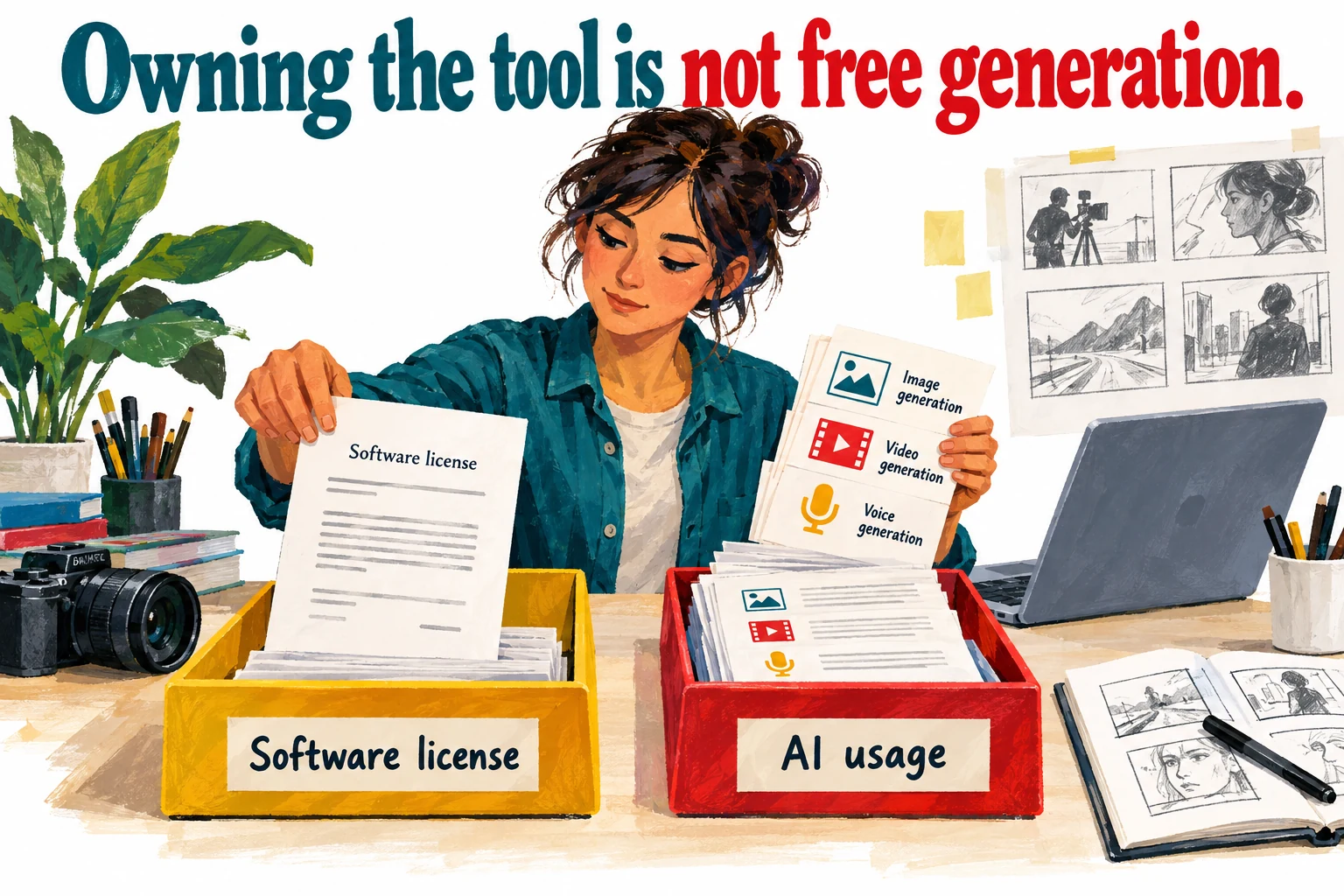
Owning the application does not make generation free

AON's cost guide separates application licensing from the external services used for text, images, voices and generated video. Different operations can have different billing units, and retries can add charges. We are not quoting fixed provider rates here because they depend on the selected service and model and can change independently of this application. Check the provider's current billing screen for the account you will actually use.

Budget for accepted output, not the first attempt. Suppose a fictional project needs six usable scenes. If three scenes require a second attempt and one needs a third, the production has involved more than six generation operations before editing even begins. That example is arithmetic, not an observed AON success rate. Its point is that a perfectly honest per-generation price can still understate the cost of a finished piece when revisions are ignored.

Track the stages separately during a pilot: script preparation, still images, motion, narration, translation and any optional services. Include failed or discarded attempts when the provider bills them. Then add the human time required to inspect and repair the result. This produces a meaningful cost per approved video and helps identify the expensive part of your particular format. A low-cost still-image workflow and an ambitious cinematic sequence should not share the same budget assumption.

Use provider spending controls and review balances before unattended batches. Avoid putting unlimited purchasing power behind an experiment whose failure behavior you have not seen. The application may reduce coordination work while external usage remains the largest expense, and that can still be a good trade. The decision becomes much clearer once the software license, generation bill and editor's time stop pretending to be one convenient number.

Sources: Explanation of separate AI provider usage costs

A filmmaker separates a software license from a ledger of ongoing image video and voice generation tasks
A conceptual cost model: the application license and external AI usage are separate expenses, with no measured costs represented.

Pick the simplest mode that communicates the idea

The product organizes creation into one-click and HQ families, with routes for ordinary narrated content, recurring personas, motion-style explanation, supplied materials and more elaborate stories or advertising. These modes are better understood as different production assumptions than as a ladder where the most complex option is always best. A clear thirty-second explanation may need less cinematic machinery than a product team initially imagines.

Write the viewer's task before choosing the mode. If the audience must understand a process, prioritize sequence and readable evidence. If the goal is to recognize a product, preserve the product's appearance. If the piece depends on a character, continuity becomes central. Starting with the desired effect makes it easier to reject an attractive treatment that distracts from the actual message. The viewer has not agreed to admire your production pipeline before understanding the point.

The guide also distinguishes using supplied photos and clips: photos may be redrawn, while video clips can be used as provided. That is a significant choice for brand work. A generated reinterpretation of a product photograph is not automatically an acceptable substitute for the photograph itself. Keep exact assets intact when labels, geometry or factual details matter, and confirm the behavior of the selected mode before submitting material that must remain unchanged.

For a first project, resist combining every available capability. Use one voice, a limited visual language and a brief sequence with an obvious beginning and end. This makes errors easier to locate and revisions easier to evaluate. Once the basic process produces a dependable result, introduce another variable. A production tool should help you make deliberate creative choices, not turn each project into an audition for every button in the application.

Sources: Production modes and format distinctions; Manual, one-click and HQ production workflows

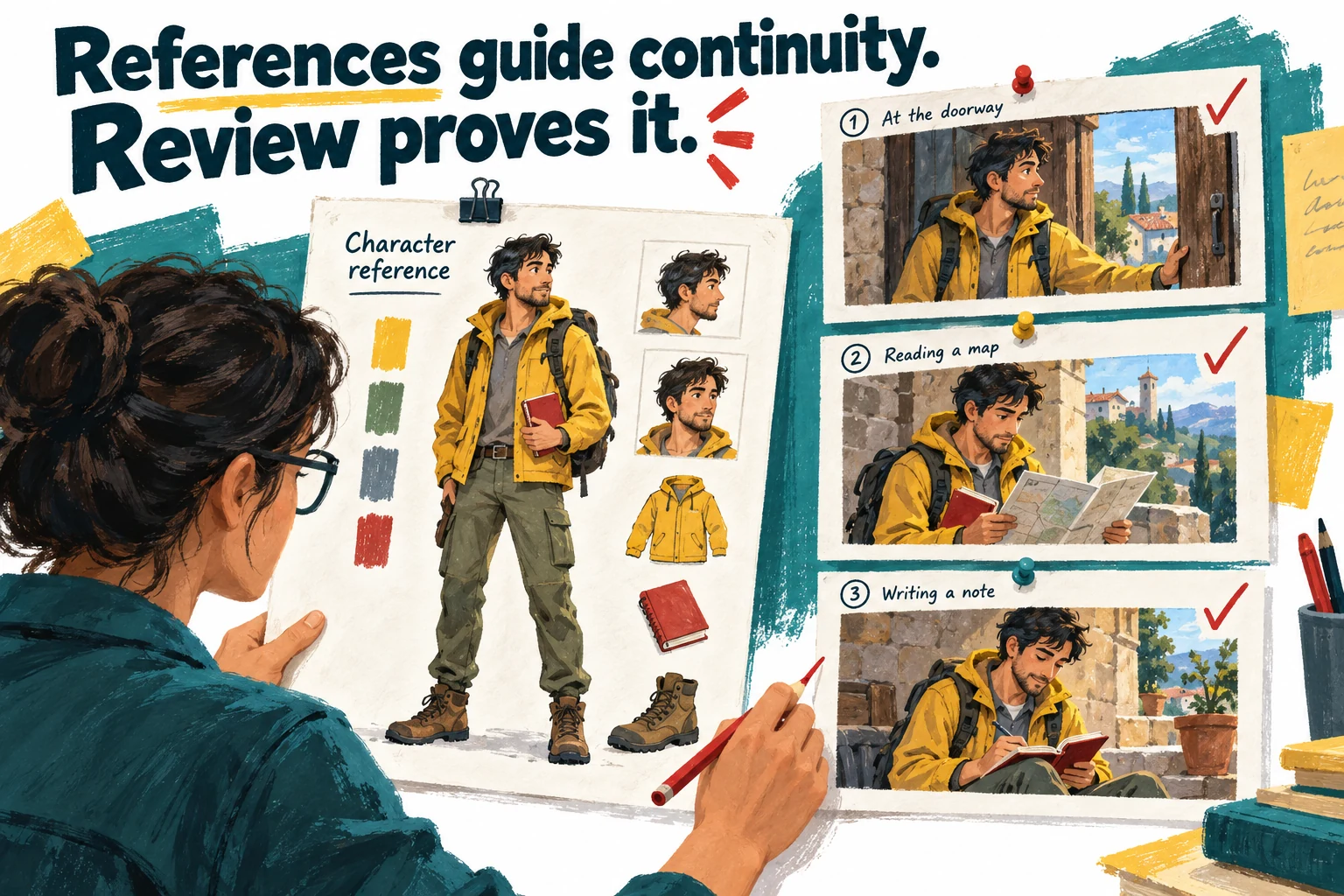
A character reference is guidance, not a continuity certificate

Persona documentation describes reference images and a reusable character library, including choices about where the character appears. Those are useful mechanisms for giving a model a consistent target. They do not establish that every generated shot will preserve identity perfectly, and we have not performed a continuity benchmark. Treat consistency as something to inspect in the output, not a property acquired merely by uploading a reference sheet.

Build a simple continuity checklist around the story. For a fictional presenter, note the face, hairstyle, clothing, distinctive object and position in the scene. Compare adjacent shots as well as individual attractive frames. A character can look plausible in every image while becoming a slightly different person between cuts. Viewers are remarkably good at noticing that the host's jacket has changed color halfway through a sentence, even when they cannot explain why the sequence feels wrong.

Use references that agree with each other and that you have permission to use. If one photograph implies a different age, outfit or setting, the ambiguity begins in the brief rather than at the final render. Prefer a small coherent reference set to a large contradictory collection. For a real person, obtain appropriate authorization and review the intended context carefully; a likeness should not become a shortcut around consent or factual representation.

Decide in advance which differences are acceptable. Stylized fiction may tolerate a changed background texture, while a branded presenter may require stricter identity control. Reject or repair the specific failed scene instead of lowering the standard because the rest of the sequence looks expensive. The useful question is whether the workflow makes those corrections manageable. Consistency that survives revision is worth more than a single impressive frame chosen from a long pile of discarded attempts.

Sources: Reference images and recurring-character workflow

A film editor compares a fictional character reference with three storyboard scenes to check consistent appearance and props
References guide the intended result; adjacent scenes still need human continuity review. This is explanatory artwork, not an AON output sample.

Narrated stories need a believable sequence before they need motion

The HQ narration guide describes a staged process spanning script, voice, scene planning, characters, images, video, subtitles and final assembly. It also describes carrying a previous scene's end frame forward as a reference and regenerating missing pieces. These are promising controls, but they remain documented behavior rather than verified performance in this review. The quality question is how well they support a coherent sequence when the first result needs correction.

Approve the spoken argument before generating expensive visuals. Read the script aloud, remove repeated setup and check whether each scene contributes a new piece of information. A common failure in generated explainers is that every scene restates the premise with a different background. Motion can make that repetition look busy without making it informative. If the script does not progress on paper, more moving images usually create a more elaborate version of the same problem.

Create a small scene map containing the narration, visual purpose and continuity requirement for each beat. A transition should explain how one moment leads to the next, not merely provide an attractive change of scenery. For a factual subject, keep the source of each important claim alongside the relevant line. This makes corrections traceable and prevents an image prompt from quietly adding details that the script never established.

Inspect pacing with the voice track in place. A visually complex scene may need more time than a simple title, while a slow establishing shot can become dead air in a short explanation. The correct length comes from comprehension and rhythm, not the maximum duration a mode supports. Use generated motion when it helps the viewer understand or feel something specific; otherwise, a well-chosen still or a direct demonstration may be the stronger editorial decision.

Sources: HQ narrated-story stages and continuity references

Transcript editing is useful only when the cuts still sound human

AI Edit documents local transcription after the required model is available, word-based editing, short-form extraction and several export routes. It distinguishes local transcription from paid AI analysis. That makes the feature interesting even for creators who already have footage and do not want to generate a whole video. However, selecting words in a transcript is a control method, not proof that every resulting audio and picture cut will feel natural.

Listen around every important removal. A sentence can remain grammatically correct while losing the breath, emphasis or qualification that made it honest. Cutting a hesitant answer too aggressively may change its meaning, especially in an interview or testimonial. Keep the original recording and compare the edited passage with the speaker's intended point. Efficiency is welcome; turning a nuanced answer into an accidental endorsement is not an editing improvement.

For extracted Shorts, judge each candidate as a standalone communication. Does it establish enough context? Is the promise answered within the clip? Does the opening depend on a previous sentence that has disappeared? A batch of suggested clips is a shortlist to review, not a queue of automatically publishable assets. The strongest excerpt may be quieter than the most dramatic one because it actually makes sense to someone meeting the subject for the first time.

The documentation mentions XML and EDL handoff alongside rendered video and subtitle formats. Confirm the behavior with your exact destination editor before promising an interchangeable project workflow. Timelines, effects, fonts and timing can behave differently across applications, and a supported export format is not a guarantee of a lossless round trip. A small representative handoff test is more informative than discovering those differences during the last hour before delivery.

Sources: Transcript editing, local transcription and export options

Music videos require a rights plan and a format decision

The dedicated music-video guide builds the visual sequence around a song and describes story structures, scene planning and optional still-image treatment. Crucially, that page specifies horizontal 16:9 output, even though broader product descriptions discuss both horizontal and vertical video. Use the specific mode's documented limitation when planning a deliverable. A creator whose entire distribution strategy depends on vertical music clips should confirm a suitable workflow before buying for this feature.

Begin with music you are entitled to use in the intended context. A file being available to import does not establish commercial rights, permission for a client campaign or eligibility for monetization on a platform. Keep the relevant license and any restrictions with the project. This review is not a legal clearance service, and the application cannot determine all of those obligations simply by accepting the audio file.

Plan the visual rhythm around meaningful musical changes instead of asking every beat to trigger a new spectacle. Repeated motifs, contrast and a deliberate ending can make a modest sequence feel intentional. Too many unrelated scenes can make an expensive video resemble a folder of impressive samples that have never met. Write a short visual treatment that explains what the audience should recognize as the song develops.

If a vertical adaptation is necessary, assess it as a separate composition rather than assuming a crop will preserve the work. Faces, text and important action may sit outside the safe area. Check the first and final frames, transitions and any visual reveal at the target aspect ratio. The format requirement belongs in the brief before generation, because repairing an unsuitable composition after the fact can consume more effort than choosing the right production route initially.

Sources: Music-video structure, timing and aspect-ratio constraints

Product advertising is where attractive inaccuracies become expensive

The advertising workflow asks for a product brief, reference material, selling points and forbidden claims, then develops proposals and scenes. That is a useful structure for commercial work because it makes the constraints explicit. We would not adopt absolute vendor claims about flawless product preservation without inspecting output. A generated package that looks nearly right can still show the wrong label, feature or physical detail in precisely the place a buyer will notice.

Create an approved-claims sheet before production. Separate what the product demonstrably does from the mood the advertisement should convey. Mark statements that require qualification, exact wording or supporting evidence. Keep real product photography available for comparison. A model should not invent a certification, safety benefit, performance result or included accessory because those details make the scene more persuasive. Persuasion has to work within the truth of the offer.

Audio behavior also needs clarification: the general guide describes the advertising mode without narration or dialogue, while the dedicated page discusses spoken delivery in some circumstances. These may reflect evolving capabilities or different treatments. If voiceover is essential, ask the vendor to demonstrate the exact current mode and export. Do not build a client deadline around an interpretation of conflicting documentation that nobody has confirmed.

Review the finished advertisement from the customer's perspective. Can they identify the actual product? Is a visual demonstration suggesting a capability the product lacks? Is a disclaimer legible at normal phone size? A polished scene is not ready merely because it contains no obvious visual glitch. Commercial approval should include factual accuracy, offer conditions and the destination after the click. The final responsibility stays with the advertiser, even when the first draft arrives very quickly.

Sources: Advertising briefs, product references and claim controls; Manual, one-click and HQ production workflows

Typography can be the sensible low-cost option

The typography page distinguishes code-rendered presets from narrated typography that calls AI services. The former can create graphic motion without generative API consumption, while the narrated route introduces a different dependency. This is a useful reminder that not every video problem needs generated imagery. Sometimes clear words, deliberate timing and a restrained visual system communicate more effectively than a sequence of cinematic interpretations.

Consider an update announcing a changed opening time, a short checklist or a simple explanation of an established process. The important content is the wording and hierarchy. A typographic treatment can keep attention on that information without introducing unnecessary factual visual details. It is also easier to revise when one sentence changes. The most sophisticated production choice is occasionally the one that refuses to create a moving landscape for a message about a deadline.

Evaluate readability at the actual delivery size. Check long words, line breaks, contrast, pace and whether the viewer has enough time to absorb a number before the next animation arrives. A preset can provide a starting rhythm, but the editor must adapt it to the language and density of the message. Read the piece without sound as well as with narration; each version should remain understandable for its intended audience.

Keep a style guide for recurring content so the result feels like a recognizable series rather than a fresh template lottery every week. Limit type treatments, choose transitions for a reason and maintain consistent naming. The value of this mode is not that it looks less ambitious than cinematic generation. It is that it can deliver a suitable message with a simpler cost structure and fewer opportunities for the imagery to misrepresent the subject.

Sources: Code-rendered typography and narrated typography distinctions

Motion explainers still need evidence behind every number

Motion documentation describes a scene-oriented explainer workflow with style references and elements such as titles, labels and numbers. These are useful visual ingredients, but they can make unsupported information look unusually authoritative. A neatly animated percentage remains unsupported if nobody can identify its source. Treat the script and visual data as a factual document before treating them as a design exercise.

For each numerical claim, record the source, date, unit and scope. Distinguish a hypothetical example from a measured result on screen, not only in a private project note. If the video compares two options, make sure they are comparable in the way the narration implies. A small business example should not inherit an enterprise benchmark because the larger number looks better in a chart. Visual clarity should help the audience understand the evidence, not hide its limits.

Choose visual representations that match the claim. A process can use a sequence; a relationship may need a diagram; a genuine comparison can use a carefully labeled chart. Do not decorate every statement with a rising line merely because motion graphics make one easy to produce. Viewers can interpret graphical movement as evidence of improvement even when no measurement has been supplied. That ambiguity is avoidable with a more deliberate visual brief.

Check the final frame composition as a still image as well as in motion. Labels that appear for too little time or figures that are too small on a phone can undermine an otherwise accurate explanation. Ask whether someone could pause the video and understand what is being claimed. This is a practical acceptance test for educational and commercial explainers, and it remains necessary regardless of which software assembled the animation.

Sources: Motion-explainer workflow and scene labels

Desktop software still depends on the right machine and services

The current supported-system description includes Windows 10 or 11 and Apple Silicon Macs with macOS 14 or later. The support guidance lists different hardware expectations for ordinary work and heavier long-form or 4K production. These are vendor requirements, not performance measurements from our own machine. A computer meeting the minimum specification may run the application without being comfortable for the workload you intend to deliver.

Evaluate with representative media, not only a lightweight sample. Resolution, duration, effects, simultaneous applications and available storage all affect the practical experience. Leave room for source files, intermediate assets and exports rather than counting only the final video size. A project that technically fits on a nearly full drive can still be a poor production plan, particularly when a revision needs another render and the operating system has its own ideas about free space.

Download installers through the official route and verify available integrity information. If security software raises a warning, investigate the file and ask the vendor for clarification; do not make disabling protection the normal installation procedure. Keep the original project and source assets backed up separately. A local application gives you useful control over files, but it also makes your own storage and recovery habits part of the reliability story.

Finally, distinguish local processing from service availability. Activation, external models and provider billing may still require an internet connection and functioning accounts. A deadline-sensitive team should know which tasks remain possible if a provider is unavailable and which do not. Keep a simpler fallback workflow for essential edits and exports. The strongest setup is not one that assumes every dependency stays healthy; it is one that can still deliver a truthful, usable piece when a nonessential feature is unavailable.

Sources: Hardware requirements, support and installation guidance; Current AON Pro Studio overview and supported systems

Local API keys do not mean every part of production stays local

The privacy page describes local storage of projects and API keys while acknowledging that selected text, images, audio or video may be sent to external AI providers. Those are different aspects of data handling. Keeping a credential on your computer does not make the model operation offline, and a short privacy statement is not evidence of a comprehensive security audit, encryption guarantee or regulatory certification.

Map the material you intend to process before connecting accounts. Public marketing copy, confidential product plans, identifiable interview footage and customer records carry different obligations. Use harmless sample content for the first evaluation and involve the appropriate owner before sending sensitive material to a new provider. The application may orchestrate the workflow, but each external service can introduce its own retention, access and contractual conditions.

Use dedicated credentials with the narrowest practical permissions and spending controls. Do not reuse a powerful account key casually across unrelated experiments. Keep secrets out of screenshots, shared project notes and support messages. If troubleshooting requires logs, inspect and redact them first. A helpful error report should explain the failure without donating the credentials that let someone reproduce your entire billing history.

Plan for cleanup and handover. Know where projects and exports are stored, who can open them on the computer and how credentials will be removed when the machine changes hands. For client work, document which assets may be retained and which must be deleted under the agreement. These are ordinary operational questions, not reasons to avoid the product automatically. They simply belong in the buying decision whenever local software coordinates work across several external services.

Sources: Local project storage and third-party processing disclosures

Resolve the refund conflict before activation, not after disappointment

The direct-purchase refund documentation is inconsistent. The dedicated refund page describes a seven-day change-of-mind window for an unactivated license, with separate treatment for defects. The FAQ describes fourteen days regardless of activation. Meanwhile, the checked discounted listing advertises its own thirty-day protection. These are not equivalent policies, and we cannot responsibly choose whichever version makes the purchase sound easiest.

Ask the actual seller which policy governs the order before activating a paid license. Include the exact offer link and the conflicting statements, and retain the reply with the receipt. If the answer is unclear, pause the purchase or use only the free evaluation. This is a more useful safeguard than assuming that a friendly FAQ overrides a dedicated policy or that marketplace protection automatically applies to a direct transaction.

Keep external usage costs separate from software refund expectations. Money spent with an AI provider may not be returned by the software seller, even if the application license is refundable. A small controlled evaluation limits that exposure. Do not generate an ambitious campaign under the assumption that every associated expense can be reversed if the product does not fit. Refund rights and practical production risk are related, but they are not the same budget line.

A vendor can resolve this issue straightforwardly by aligning its pages and confirming the terms for each channel. Until then, it affects our confidence score because a buyer should understand the commercial boundary without doing interpretive archaeology. This does not prove bad intent or a defective application. It does mean the purchase conditions require more care than the headline price suggests, particularly for someone whose decision depends on testing paid capabilities after activation.

Sources: Dedicated direct-purchase refund policy; FAQ on activation, refunds and free production limits; Current discounted Pro license and marketplace purchase conditions

Automation should stop at an explicit editorial approval

The product promotes queued and automated production, which can be valuable for repetitive work. The safe interpretation is that software can prepare material for review, not that a queue becomes an editorial authority. A batch can repeat a wrong claim, mismatched visual or pronunciation error just as efficiently as a correct one. Scale makes an established process more productive; it also makes an unexamined mistake more widely distributed.

Separate production completion from publication approval. Before a video reaches an audience, a named person should confirm the facts, rights, voice, captions, visual continuity and offer details. Keep an explicit approved state rather than relying on the absence of an error message. A successful render means a file was produced. It does not mean that the file says something useful, accurate or appropriate for the channel where it is about to appear.

Watch the actual exported file on a phone with headphones, then review it once without sound. Check the opening, transitions, caption timing, final frame and any call to action. An editor preview can conceal a font substitution, export mismatch or awkward audio boundary. The export is the product the audience receives, so it deserves its own inspection rather than inheriting approval from a workspace preview that looked fine ten minutes earlier.

For recurring series, keep a small release record linking the approved script, source assets, export and publication decision. If something later needs correction, you can identify the affected version without reopening every project. This process need not be bureaucratic. A brief checklist and clear ownership are often enough. The aim is to make responsible publishing repeatable, so automation removes busywork while the creator retains judgment over what the audience is actually being asked to believe.
Sources: Manual, one-click and HQ production workflows; FAQ on activation, refunds and free production limits

A video editor watches the final exported film on a phone with headphones while checking sound captions and claims
Approve the exported file at its real viewing size, including audio and captions, rather than relying only on an editor preview.

A useful pilot measures the whole job, including the awkward parts

Our proposed evaluation uses one short project that resembles your regular work. Choose an approved script, owned reference material and a clear delivery format. Record the time required to prepare inputs, generate or import assets, edit, correct, export and review. These are suggested acceptance steps, not results from a trial we conducted. The goal is to discover the cost of a usable finished piece rather than celebrate the speed of the first draft.

Include one deliberate revision. Change a sentence, replace a visual or adjust the final format and see how much work must be repeated. Creative production is rarely a straight line from brief to approval. A tool that handles the initial draft quickly but makes ordinary revisions fragile may not save time over a full project. The correction path is often where an integrated workflow proves its value or reveals its hidden complexity.

Keep a simple defect log with categories such as factual error, identity drift, audio issue, unreadable text and export problem. Record the correction and whether it created another issue. This is not an invitation to demand perfection from every generated frame. It is a way to see whether the remaining work is predictable and affordable. Two manageable fixes can be acceptable; an unpredictable chain of repairs can make scheduling difficult even when the final result is attractive.

Compare the finished outcome with your existing process at a similar quality standard. Count the provider bill and the editor's time, not only the license price. Ask whether a second project would reuse the learned structure or require starting over. Buy only when the improvement survives that complete comparison. A production tool earns its place by making dependable work easier to deliver, not by moving the most frustrating parts of the job outside the demo.

Sources: Transcript editing, local transcription and export options; Free Basic and direct Pro pricing and access boundaries

Our verdict: promising workflow breadth, with purchase details to settle

Our source-researched assessment is 75 out of 100. AON Pro Studio addresses a real problem: coordinating several stages of modern video production without losing control of the project between tools. The documentation provides useful detail about distinct workflows and editing options. We reduce the score for unverified output quality, external-service dependencies and inconsistent commercial information, rather than treating a broad feature list as a substitute for evidence.

The strongest buyer is a creator with a repeatable format, a clear quality standard and the patience to evaluate a complete project. Such a person can decide whether the application reduces handoffs and makes corrections manageable. The weakest fit is someone expecting a one-time purchase to supply endless free generation and automatic publishing success. Neither the software license nor an automated queue removes the need for an audience, a useful idea and responsible editorial judgment.

Start with Basic where it answers the relevant questions, request a demonstration of paid-only behavior and resolve the exact update and refund conditions for the chosen sales channel. Use a small provider budget during evaluation. Confirm hardware suitability and inspect any required handoff to another editor. These steps may sound less exciting than generating a cinematic sequence immediately, but they make the eventual creative work much less likely to become a surprise invoice with subtitles.

Buy when a representative pilot produces an acceptable export with lower total effort or better control, and when the purchase conditions are clear enough to rely on. Skip when essential fidelity, offline processing or entitlement requirements remain unproven. The product's potential is in making a disciplined production process more convenient. A good outcome is not merely more videos; it is more videos you can confidently put your name on after watching the final file.

Sources: Free Basic and direct Pro pricing and access boundaries; Direct license terms, guaranteed service period and existing purchases; Dedicated direct-purchase refund policy

Frequently asked questions

Does the one-time AON Pro Studio price include unlimited AI generation?

No. External provider usage is separate from the application license. Budget text, image, voice and video operations, including billed revisions, before judging the cost of a finished project.

Do the discounted and direct licenses have identical update terms?

The checked discounted offer advertises all future updates, while current direct terms guarantee several services for twelve months. Confirm the exact entitlement attached to your purchase rather than combining conditions from different channels.

Is AON Pro Studio completely offline?

Some documented tasks, such as local transcription after model setup, can run locally. External AI generation and other service-dependent operations are different; locally stored keys do not make those operations offline.

Which refund policy should I rely on?

Ask the actual seller before activation. The dedicated direct refund page and FAQ conflict, and the discounted purchase channel describes separate protection. Keep the seller's written clarification with the order.

Are these illustrations actual AON Pro Studio outputs?

No. They are original explanatory illustrations about production costs, continuity review and final export checks. They are not application screenshots, generated product samples or evidence of hands-on performance.

More video & audio deals

Video & Audio

VideoMule

A useful candidate for recurring software walkthroughs when recording is easy but explaining and updating the recording takes too long. Evaluate a real short lesson before buying, and budget from the resources your workflow consumes rather than the word lifetime.

$69 · checked Nov 2, 2026

Video & Audio

Al Webcam Effects

Many professionals struggle to maintain a polished appearance during online video calls. AI Webcam Effects addresses this by enhancing webcam quality, offering virtual backgrounds, beautifying filters, and color correction. It also supports screen and live video recording. This tool is suitable for individuals and teams who frequently engage in video conferences, live streams, or content creation and want to present a more professional image.

$119 · checked Oct 23, 2026

Video & Audio

Vois Studio

Vois Studio generates unlimited offline text-to-speech voiceovers using 100+ voices, mastering tools, and platform presets. It runs locally on Mac or PC for private audio production. The product is designed for teams that need a repeatable video & audio process and want clearer control over the core task. It fits best when the buyer has a defined use case, realistic input data, and a way to judge output quality before rolling it out across a wider workflow.

$59 · checked Nov 3, 2026

Video & Audio

4K Bundle

The 4K Bundle provides five PRO applications for downloading, converting, and managing online media across desktop and Android. It addresses the need for repeatable video and audio workflows, offering tools for video, audio, TikTok content, and image optimization. This bundle suits users seeking clearer control over media tasks with defined use cases and a need to validate output quality.

$52 · checked Oct 23, 2026

Deal alerts

Get video & audio deal alerts by email.

SoftScout will send short buying notes when offers like Aon Pro Studio look worth checking or worth skipping.

Short buyer verdicts

Useful offers before checkout

Editorial note

Our 75/100 assessment credits the breadth of the production workflow but discounts unverified output quality and inconsistent purchase documentation. Try the free capabilities and clarify the exact license before relying on Pro for client deadlines.

For vendors

Have a better deal for Aon Pro Studio?

Send current partner terms, coupon limits, refund rules, and the best buyer fit. We review offers before adding them to SoftScout pages or Telegram alerts.

Submit terms